
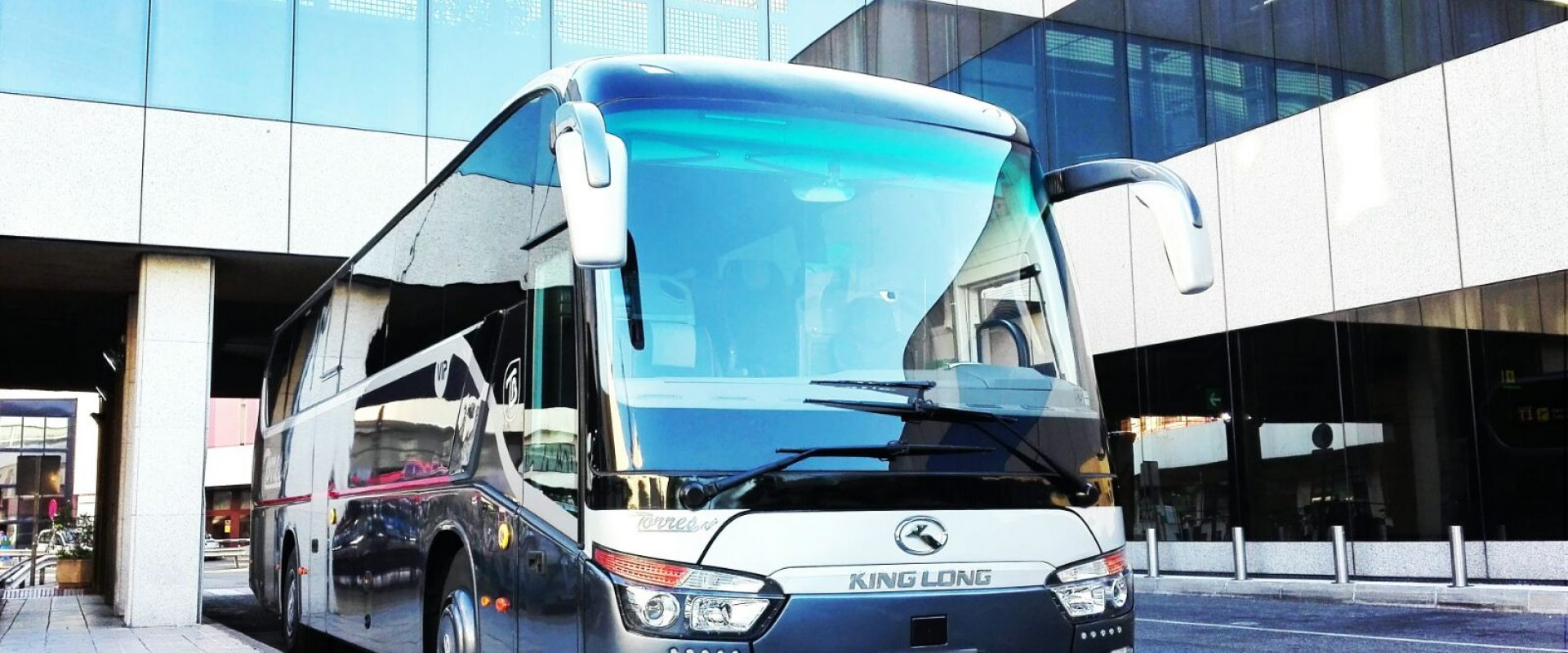
Picture this: you’re standing at Madrid‑Barajas, bags in hand, and you realize the group you’re traveling with still needs a reliable way to stay connected on the way to the conference.
You’ve probably felt that knot in your stomach when the Wi‑Fi on a regular coach sputters or drops just as the presenter starts sharing the slide deck. That’s why Madrid coach hire with Wi‑Fi has become more of a must‑have than a nice‑to‑have for event planners, corporate teams, and even wedding parties who want their guests to stream music, share photos, or check emails without hunting for a signal.
At Torres Bus we’ve been fitting our fleet with robust, carrier‑grade routers for over a decade. The result? A stable 4G‑LTE connection that can comfortably support 20‑30 devices simultaneously. One recent corporate roadshow in Toledo saw the client’s sales team run live demos from the coach, saving them a costly hotel‑room‑setup.
But it’s not just about raw speed. Imagine a family reunion heading to Segovia: grandparents video‑calling their kids back home, teenagers streaming a playlist, and the tour guide pulling up a Google map of the Alcázar—all without a single hiccup. That seamless experience turns a simple transport job into a mobile office or a rolling lounge.
So, how do you make sure you pick the right coach? Here are three quick steps:
- Confirm the Wi‑Fi bandwidth: ask for at least 5 Mbps per seat for smooth video calls.
- Check the router’s redundancy – dual SIM cards or a backup 5G hotspot can keep you online if the primary signal drops.
- Ask about onboard support: a friendly driver who can troubleshoot a frozen screen can be a lifesaver.
When you’re ready to compare options, take a look at our Coach Bus and minibus Madrid page, where you’ll find detailed specs, seating layouts, and the Wi‑Fi package for each vehicle.
And remember, the cheapest quote isn’t always the smartest one. A coach that lags on connectivity can waste hours of productive time, especially on tight itineraries. Choose a provider that treats Wi‑Fi as an integral part of the service, not an afterthought.
Ready to keep your team online while they enjoy the scenery? Let’s get the conversation started – we’ll match your group size, route, and tech needs with the perfect Madrid coach that’s as connected as your phone.
TL;DR
Looking for reliable madrid coach hire with wifi? Choose Torres Bus for seamless connectivity, dual‑SIM routers, and a driver ready to troubleshoot, so your team stays productive and your guests stay entertained from airport to conference, wedding, or day‑trip. Enjoy comfortable seats, punctual service, and peace of mind throughout trips.
Understanding Madrid Coach Hire Options
When you start hunting for a ride that can keep your whole crew online, the first thing you feel is a bit of overwhelm – there are coaches, minibusses, VIP‑styled coaches, even microbuses, each promising a different mix of comfort and connectivity. Let’s break it down so you can match the right vehicle to the vibe you’re after.
Size matters, but so does the feel
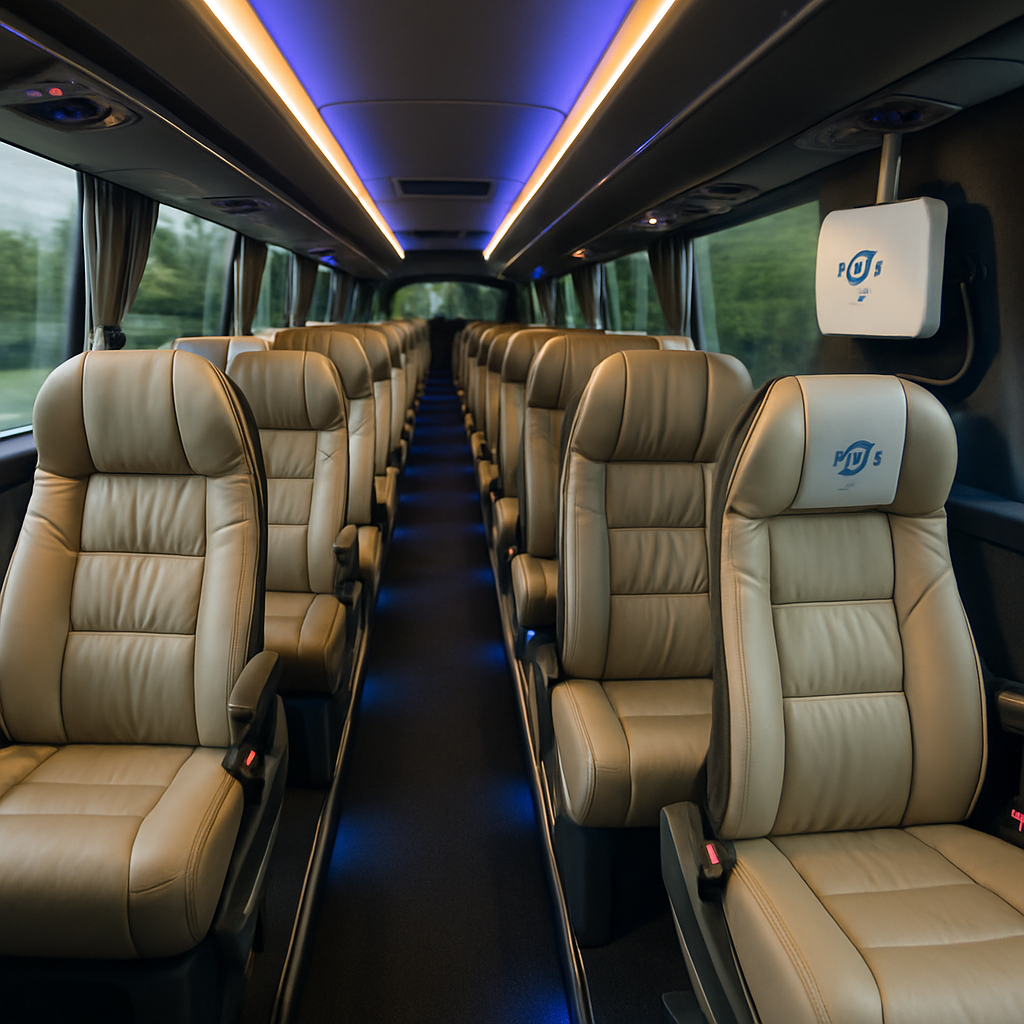
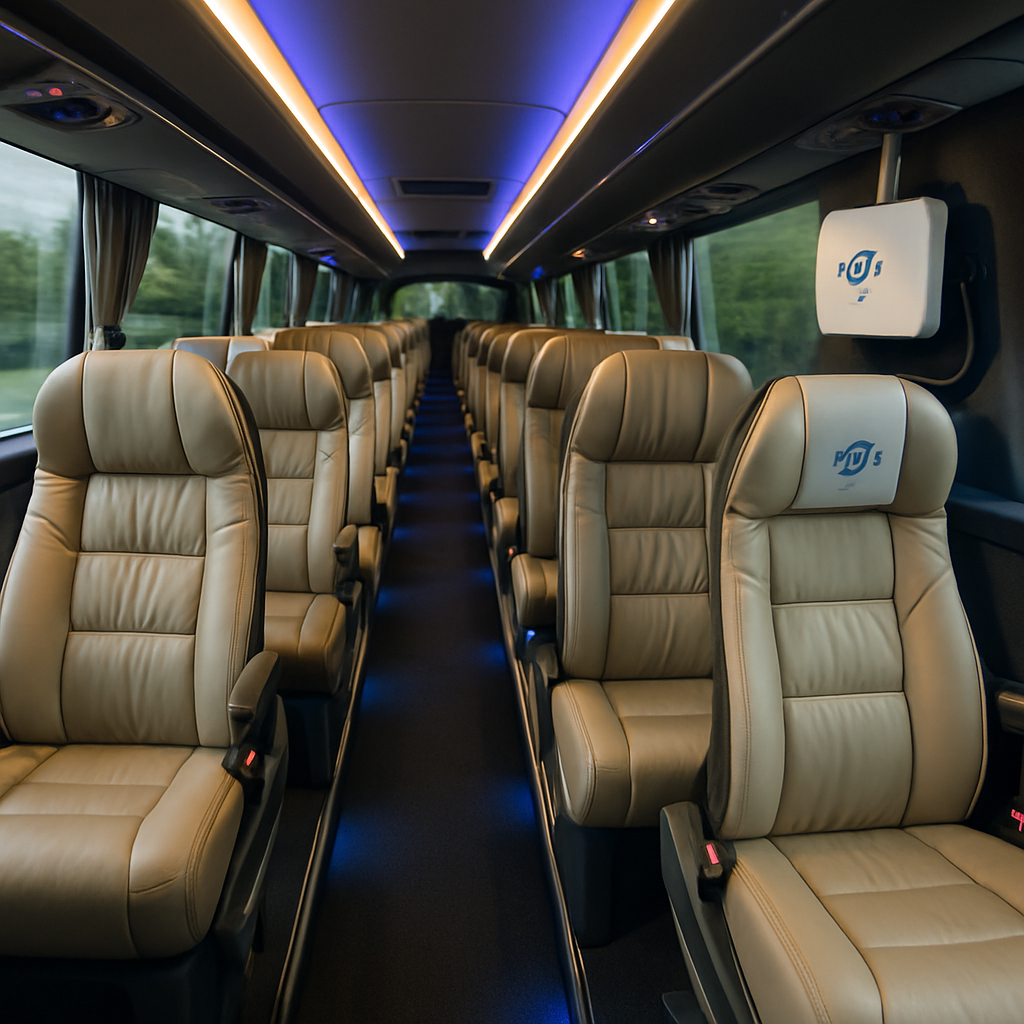
A 12‑seat minibus is perfect for a small corporate off‑site or a family reunion where you want a cosy atmosphere. If you’re moving a larger team to a conference, a 45‑seat coach gives you space to spread out laptops and still keep the aisles clear for that inevitable coffee run. For weddings or high‑end corporate events, the VIP coach adds leather seats, ambient lighting, and sometimes even a small restroom – the kind of touch that says, “we’ve thought of everything.”
Wi‑Fi packages and real‑world performance
All the coaches we recommend come with carrier‑grade routers that support dual‑SIM cards. That means if the 4G signal dips in a tunnel, the backup SIM flips on automatically, keeping your video calls from freezing mid‑sentence. A good rule of thumb is at least 5 Mbps per seat; that lets you stream a presentation while the kids in the back are watching a cartoon without a hiccup.
Think about it this way: the router is the heart of the bus, and the dual‑SIM setup is the backup pacemaker. You’ll never notice it working, but you’ll be grateful when it kicks in during a spotty stretch of highway.
That short video shows exactly how a router is installed in one of our coaches and why the signal stays strong even when you’re crossing the Sierra de Guadarrama. It’s a quick peek behind the curtain that most providers skip.
Beyond Wi‑Fi, look for extras that turn a plain ride into a mobile office or lounge. Adjustable climate control, USB‑C charging ports at every seat, and even a small screen for on‑board entertainment can make a day‑trip feel like a five‑star hotel lounge.
Pricing and what to ask before you sign
Don’t let the cheapest quote win you over. A low‑price coach might skimp on the router’s redundancy or use a basic hotspot that can’t handle more than a handful of devices. Ask the provider: “What’s the bandwidth per seat?”, “Do you have dual‑SIM or a 5G fallback?”, and “Is the driver trained to troubleshoot connectivity issues?” A transparent provider will give you a written spec sheet.
Also, think about the flooring. Some premium coaches feature high‑quality floor finishes that reduce noise and add a touch of elegance – the same kind of flooring you might find in a boutique hotel lobby. Companies like Millena Flooring supply those durable, stylish surfaces, and a well‑finished floor can make a long journey feel smoother for everyone.
Finally, remember to check for accessibility options if you have guests with reduced mobility. Our fleet includes PMR‑adapted vehicles, so you won’t have to compromise on comfort or connectivity for anyone in your party.
Bottom line: match the vehicle size to your group, verify the Wi‑Fi’s dual‑SIM redundancy, and look for those little luxury touches that keep the ride pleasant from start to finish. When you do, you’ll turn a simple transfer into a productive, enjoyable experience for the whole crew.
Step‑by‑Step Booking Process for a Coach with WiFi
Okay, you’ve watched the interior video and you know a Wi‑Fi‑enabled coach is the only way to keep your team productive on the road. Now comes the part that actually turns the idea into a booked seat – the booking process. Let’s walk through it together, step by step, so nothing slips through the cracks.
1. Map Your Exact Requirements
First thing we do is write down the basics: passenger count, dates, route (airport‑to‑conference, day‑trip to Segovia, etc.) and the connectivity you need. A good rule of thumb is 5 Mbps per seat, so 20 people means about 100 Mbps. Jot down extra comforts – power outlets, USB‑C ports, or a small restroom – because they affect the vehicle choice.
Remember the Wi‑Fi cutout during a live demo? We’re trying to avoid that, right? Being specific now saves you a “what‑if” later.
2. Request a Detailed, Itemised Quote
Contact Torres Bus for a quote that breaks down driver fee, fuel surcharge, tolls, Wi‑Fi package and optional accessories. When the numbers are clear, you can see if swapping a larger coach for a stronger router makes sense.
Tip: ask for a short “Wi‑Fi performance guarantee” – e.g., “minimum 5 Mbps per seat for the first two hours, or we’ll upgrade the router at no extra cost.”
3. Verify the Router Setup
Ask for the exact model of the carrier‑grade router and whether it has dual‑SIM capability. Dual‑SIM means the system can hop from 4G to 5G automatically if the signal drops, keeping your video calls smooth.
If possible, request a quick demo on booking day. A 10‑minute test with a few laptops will show how many devices stay stable at the needed speed.
4. Confirm Driver Tech‑Savviness
Even the best hardware is useless if the driver can’t reboot the router or swap SIM cards. Ask the company which drivers have completed the “Wi‑Fi troubleshooting” training. It’s a small detail, but it’s the difference between silent panic and a quick fix when the connection hiccups.
5. Review the Contract Checklist
Before you sign, run through a short checklist:
- Exact vehicle model and seat count.
- Wi‑Fi bandwidth guarantee and redundancy.
- Driver’s technical support clause.
Seeing all of that in black and white gives you confidence that nothing will be “fine‑print surprise” on the day of travel.
6. Secure the Booking with a Deposit
Torres Bus typically asks for a 20 % deposit to lock the date. Pay it via the method you’re comfortable with – bank transfer, credit card, or a quick online link they’ll send. Keep the receipt; you’ll need it if you have to adjust the itinerary later.
7. Pre‑Trip Confirmation Call
One day before departure, give the coordinator a quick call. Confirm the vehicle registration, the driver’s name, and the Wi‑Fi router location (usually ceiling‑mounted). Ask them to run a final signal check along your route – they’ll often have a map of coverage zones.
And that’s it. By following these seven steps you turn a vague idea about a Wi‑Fi coach into a concrete, reliable service that keeps your team online, your guests entertained, and you stress‑free.
Ready to put the plan into motion? Just call or email Torres Bus, and you’ll have a confirmed coach ready to roll in no time.
Key Features and Amenities to Look For (Video Included)
Alright, you’ve watched the quick video tour and you can picture the seats, the ceiling‑mounted router, and the little power strips. Now let’s dig into the nuts‑and‑bolts that actually make a madrid coach hire with wifi feel like a moving office rather than just a big van.
Connectivity Backbone
First thing on the checklist: the router itself. We’re talking carrier‑grade 4G/5G gear with dual‑SIM capability, so if one network drops the other jumps in automatically. That little redundancy is why a corporate roadshow in Toledo never loses a slide during a live demo.
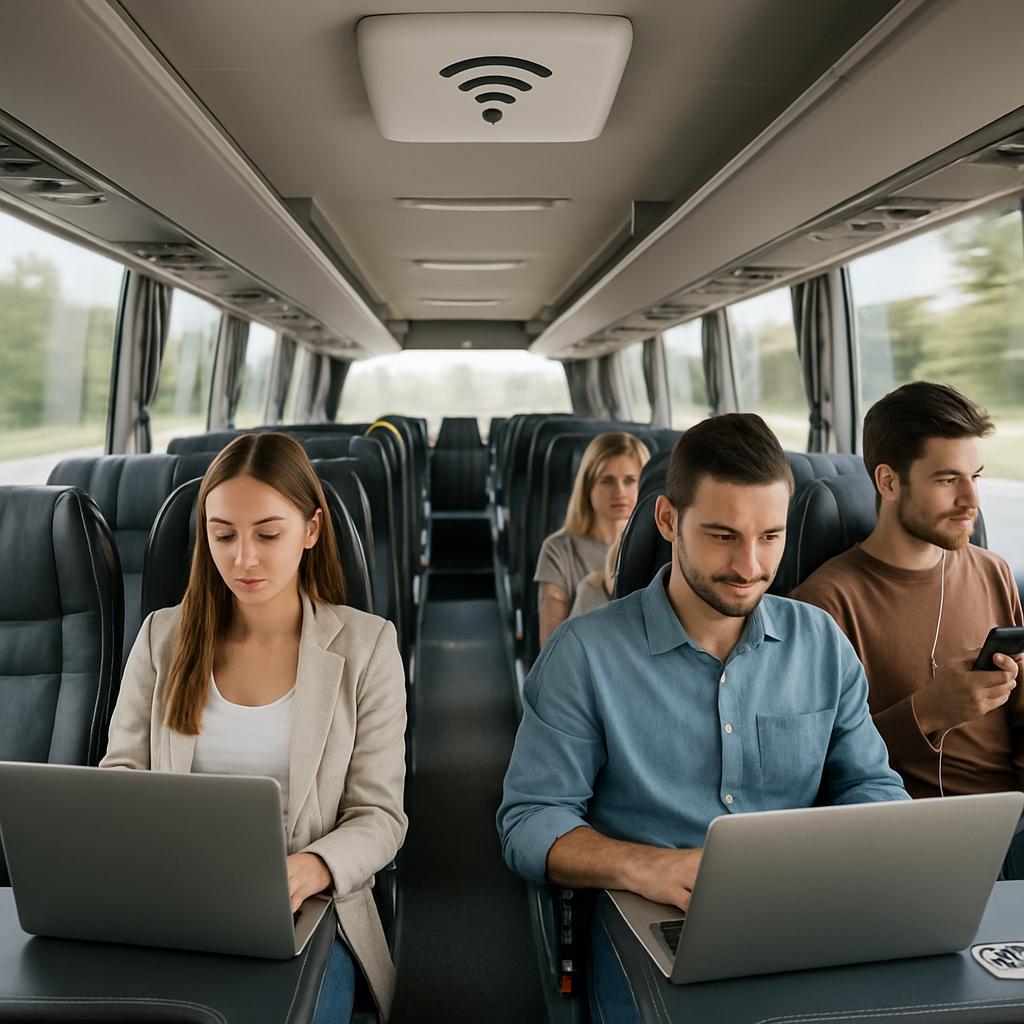
And the speed? Aim for at least 5 Mbps per seat. That translates to a smooth Zoom call for a presenter in the front seat while the rest of the team streams music or checks email. You’ll notice the difference the moment the router lights stay solid instead of flickering.
Seating Comfort & Power Options
Comfort isn’t just about plush cushions – it’s also about staying powered up. Look for USB‑C or USB‑A ports at every seat, plus a few 220 V sockets for laptops that still run on the old plug. A quick glance at the video will show you which models have those outlets tucked into the armrest versus the ones that leave you hunting for a free spot.
Think about the little moments: a teenager charging a phone, a senior pulling out a tablet for a family video call, a manager pulling up a spreadsheet. If the power is there, the wifi can actually be used.
Onboard Climate & Accessibility
Nothing kills a good vibe faster than a stuffy coach on a hot summer day. Look for multi‑zone climate control – it lets the driver tweak temperature per section, so the front doesn’t get too cold while the back stays cozy.
And if you have guests with reduced mobility, ask whether the vehicle has a wheelchair ramp or lift. A few extra seconds to load a wheelchair is worth the peace of mind that everyone arrives together, ready to network.
Entertainment & Extras
Beyond wifi, many coaches now pack a built‑in HDMI screen or a Bluetooth speaker system. Those are perfect for a quick team briefing before the journey or for playing a wedding playlist as you roll into the venue.
Some operators even throw in a mini‑fridge or a coffee bar. Imagine sipping a latte while the router keeps the video conference steady – it feels less like travel and more like a first‑class lounge on wheels.
Safety & Driver Support
All the tech in the world won’t help if the driver can’t troubleshoot. A good provider trains their drivers to reboot the router, swap SIM cards, and run a quick speed test on the day of departure. That knowledge turns a potential panic moment into a simple “let me check the signal” and you’re back online.
And don’t forget basic safety gear: seat belts for every passenger, emergency exits clearly marked, and a fire extinguisher within reach. It’s the silent reassurance that lets you focus on the agenda instead of the road.
So, when you’re comparing quotes, run through this mini‑checklist: dual‑SIM router, 5 Mbps per seat minimum, power outlets at every seat, climate zones, accessibility options, entertainment extras, and driver tech training. If a coach ticks most of those boxes, you’re probably looking at a win‑win for connectivity and comfort.
Ready to take the next step? Grab the video, note the features that catch your eye, and ask Torres Bus to confirm they’re included in the model you’re eye‑balling. You’ll walk away with a coach that feels like your office, your lounge, and your party rolled into one.
Comparing Prices and Services
So you’ve narrowed it down to a few quotes and now the real question is: what are you actually paying for? It’s easy to get lost in numbers, but if you break the offer into bite‑size pieces you’ll see where the value hides.
First off, look at the Wi‑Fi backbone. A coach that advertises “Wi‑Fi” could mean anything from a cheap hotspot tucked in the luggage compartment to a carrier‑grade dual‑SIM router that swaps between 4G and 5G on the fly. The latter usually carries a higher base price, but it also means fewer dead zones and fewer “sorry, the signal dropped” moments during a live demo.
Price per seat vs. total package
Many providers quote a flat daily rate. That looks clean, but it can mask hidden costs. Ask yourself: does that rate include power outlets at every seat, USB‑C ports, and climate‑control zones? If you have to add those later, the “cheaper” coach can end up costing more.
Here’s a quick way to think about it: take the total quoted price, subtract any add‑ons you’ll definitely need (like extra outlets), then divide by the number of passengers. You’ll get a per‑seat price that’s easier to compare across options.
Service extras that matter
Now, beyond the tech, consider the human factor. A driver who knows how to reboot a router, swap SIM cards, and run a quick speed test can turn a potential panic into a five‑minute fix. Some companies bundle this training into their price; others charge a “tech support surcharge.” That surcharge can be a few hundred euros, but it’s often cheaper than paying for a backup router on the day of travel.
What about accessibility? If you have guests with reduced mobility, you’ll need a coach with a ramp or lift. Not every quote will mention it up front, so make sure you ask and get that cost written into the contract.
Comparing the numbers
Below is a compact table that puts the most common variables side by side. Use it as a checklist when you’re on the phone with the provider.
| Feature | Basic Quote | Premium Quote (Torres Bus) | What to Watch For |
|---|---|---|---|
| Wi‑Fi router | Standard hotspot, single SIM | Carrier‑grade dual‑SIM 4G/5G router | Redundancy, speed consistency |
| Power & charging | USB‑A ports at back row only | USB‑C & USB‑A at every seat, 220 V sockets | Device compatibility, convenience |
| Driver tech support | Not included (extra fee if needed) | Included, driver trained on router reset | Potential downtime cost |
| Accessibility | May require separate request | Ramp/lift built‑in, listed in price | Hidden charges for PMR compliance |
| Climate control | Single zone | Multi‑zone, individual vents | Passenger comfort on long trips |
Notice how the premium option bundles several “nice‑to‑haves” that often become “must‑haves” once you’re on the road. The price gap may look bigger at first glance, but when you factor in the value of uninterrupted Wi‑Fi, fully charged laptops, and a driver who can troubleshoot on the spot, the math balances out.
Another tip: request a short “performance guarantee.” Ask the provider to commit to a minimum 5 Mbps per seat for the first two hours. If they can’t deliver, they should either upgrade the router at no extra cost or give you a discount. It’s a simple way to hold them accountable without getting into a legal maze.
Finally, don’t forget the hidden time cost. A coach that stalls on a dead‑zone route can add 30‑45 minutes to your itinerary, which translates into lost productivity or a missed conference slot. When you compare quotes, ask each operator how they plan the route to stay in strong coverage areas. Some use real‑time network maps; others just follow the highway.
Bottom line: the cheapest headline price isn’t always the smartest investment. Look for a package that covers solid Wi‑Fi infrastructure, comprehensive power options, driver tech competence, and any accessibility or climate needs you have. When those pieces line up, you’ll end up with a smoother, more productive journey – and a better return on every euro you spend.
Safety and Accessibility Considerations
When you’re booking a madrid coach hire with wifi, the first thing that should pop into your head isn’t just speed – it’s whether everyone on board stays safe and can actually get on the vehicle without a hassle.
Every seat in a Torres Bus coach comes with a working seat belt, and the driver does a quick visual check before you pull out of the depot. It sounds basic, but a belt that’s stuck or a latch that won’t click can turn a smooth ride into a legal headache.
Emergency exits are another non‑negotiable. Modern coaches have clearly marked, illuminated doors at both ends and a side hatch that opens inward. The crew runs a short drill on the first stop, just to make sure you know where the hammers are and how to pull the handle if the lights go out.
Fire safety isn’t an afterthought either. Each bus carries a certified fire extinguisher within arm’s reach of the driver and a second unit near the rear doors. The extinguisher is inspected every six months, and the driver carries a quick‑reference card that shows the right type of foam for an electrical fire – handy when a router overheats.
Speaking of routers, the wifi hardware is securely mounted to the ceiling and all cables are tucked away behind protective clips. That prevents loose wires from becoming trip hazards and also keeps the equipment out of sight, so passengers can focus on their work instead of a dangling cord.
Data security matters, too. The dual‑SIM router uses encrypted 4G/5G channels, and the driver runs a basic speed test before you depart. If the signal drops, the backup SIM kicks in automatically – no one has to scramble for their phone to reconnect.
Now, let’s talk accessibility. Torres Bus offers a range of PMR‑adapted coaches that feature a low‑floor entry and an automatic ramp or hydraulic lift. The ramp can be deployed by the driver with a single button, meaning a wheelchair user can roll on without anyone having to lift a heavy curb.
Boarding assistance is part of the service. The driver or a dedicated aide will meet you at the pickup point, open the doors, and help guests with luggage, strollers, or mobility aids step inside. It’s the kind of small, human touch that turns a logistical chore into a courteous experience.
Climate control isn’t just about comfort – it’s also a safety factor. A multi‑zone HVAC system lets the driver set cooler air in the front and a warmer breeze in the back, preventing any passenger from feeling too cold or too hot, which can lead to fatigue on longer trips.
Air quality has become a big conversation lately, and good reason. Our coaches are equipped with HEPA‑grade filters that capture dust, pollen, and even some viruses. Between stops the driver runs the ventilation system on fresh‑air mode, so the cabin stays circulating clean air rather than recirculating stale stuff.
Sanitisation is part of the daily routine. Seats, armrests, and tray tables get a quick wipe with a hospital‑grade disinfectant after each journey. For groups that need extra peace of mind – say, a wedding party with elderly guests – we can provide additional deep‑cleaning on request.
Here’s a quick safety and accessibility checklist you can run through when you receive a quote:
- Seat belts on every seat, inspected and functional.
- Clearly marked emergency exits with working hammers.
- Fire extinguisher(s) in driver’s cabin and rear area.
- Router securely mounted, cables clipped, dual‑SIM backup.
- PMR‑adapted vehicle option with ramp or lift.
- Driver‑assisted boarding for mobility‑aid users.
- Multi‑zone climate control and HEPA filtration.
- Daily sanitisation protocol and optional deep‑clean.
Crossing these items off the list means you can sit back, fire up your laptop, and let the coach do the heavy lifting. In short, a madrid coach hire with wifi that checks the safety and accessibility boxes gives you peace of mind, keeps everyone comfortable, and lets the technology do what it’s supposed to – keep you connected.
Tips for a Smooth Experience on Your WiFi‑Enabled Coach
Picture this: you settle into your seat, the engine hums, and the Wi‑Fi light flickers green. That tiny glow is the promise of a productive journey, but only if you know how to keep it steady.
So, what can you do right now to make sure the connection stays solid from the moment you board until you step off at your destination?
1. Do a quick pre‑ride sanity check
Before you even open your laptop, ask the driver or coordinator a couple of simple questions. «Is the router dual‑SIM?» and «Do you have a speed‑test app on board?» If they can answer confidently, you’ve already cleared the biggest hurdle.
And if they can’t? That’s a cue to request a brief demo – a 5‑minute test with one or two devices. It’s quick, it’s free, and it saves you a lot of awkward “Can you hear me?” moments later.
2. Position yourself wisely
The router usually lives in the ceiling, but signal strength can still vary. Seats right under the router often get the strongest signal, while the very back of a long coach can feel a bit weaker.
Try to claim a middle‑row seat if you can. If you’re traveling with a group, rotate devices – let the person at the front handle the video call while the ones in the middle stream music.
3. Power up before you power on
Nothing kills a video conference faster than a dead battery. Make sure your laptop, tablet, or phone is fully charged before you step onto the coach. Most Torres Bus coaches have USB‑C or USB‑A ports at every seat, but it’s still worth plugging in early.
And bring a spare power bank – it’s a tiny insurance policy that feels surprisingly comforting when you hear the router’s little “ding” after a signal drop.
4. Keep the router happy
Routers love fresh air and a stable temperature. If you notice the coach’s HVAC blasting hot air straight at the ceiling, politely ask the driver to adjust the vent. A cooler router runs smoother and is less likely to throttle bandwidth.
Also, avoid moving large metal objects (like suitcases) directly over the router. They can create a tiny “dead zone” that interferes with a few devices.
5. Have a backup plan
Even the best dual‑SIM setup can stumble in a dead‑zone tunnel. Keep a mobile hotspot on standby – a single 5G line on your phone can often fill the gap for a few crucial minutes.
If you’re running a live demo, schedule a short “offline buffer” period where you can switch to a downloaded copy of your presentation. It feels odd at first, but it’s a lifesaver when the coach briefly loses signal.
6. Communicate with the driver
Drivers who know the route’s coverage map are gold. Let them know when you’re about to start a critical call – they can often choose an alternate lane or a brief stop in a high‑signal area.
And don’t be shy about asking for a quick router reset if you see the speed dip. A simple reboot takes less than a minute and can restore everything to full speed.
7. Use the onboard tech tools
Many Torres Bus coaches come with a built‑in speed‑test widget on the seat‑back screen. Run it at the start of the trip, note the Mbps, and keep an eye on it during longer journeys. If it drops below the 5 Mbps per seat benchmark you asked for, you’ve got data to back up a polite request for a fix.
Some coaches also offer a “network health” display that shows which SIM is active. Knowing whether you’re on the primary 4G or the backup 5G can help you set expectations with your team.
So, what’s the takeaway? A smooth Wi‑Fi experience isn’t magic – it’s a series of tiny habits you adopt before and during the ride.
- Ask about dual‑SIM and request a quick test.
- Choose a middle‑row seat for the best signal.
- Charge devices early and keep a power bank handy.
- Mind the router’s environment – keep it cool and clear.
- Have a mobile hotspot as a safety net.
- Talk to the driver about coverage and request resets when needed.
- Monitor speed‑test results and note any drops.
Follow these steps, and your next madrid coach hire with wifi will feel less like a gamble and more like an extension of your office – reliable, comfortable, and ready when you are.
Conclusion
So, you’ve made it to the end of our deep dive into madrid coach hire with wifi, and you probably feel a mix of confidence and a few lingering questions.
The good news? All the moving parts—from dual‑SIM routers to middle‑row seats—are things you can control with a quick checklist and a friendly chat with Torres Bus.
Remember the three habits that keep the connection solid: ask for a demo speed test, keep your devices charged and positioned, and give the driver a heads‑up before any critical call.
If you skip any of those, you risk the classic dead‑zone nightmare that turns a productive journey into a frustrating pause.
But here’s the simple action step: right after you get your quote, fire off an email that says, ‘Can we run a 5‑minute Wi‑Fi test on the coach with my laptop and a couple of phones?’ That tiny ask locks in the bandwidth you need before you even step on the bus.
And while you’re at it, double‑check that the vehicle matches your comfort needs—USB‑C ports, climate zones, and if required, a wheelchair‑friendly ramp.
When those boxes are ticked, the coach becomes an extension of your office or event venue, letting you focus on the agenda instead of hunting for signal.
Ready to turn the planning into a smooth ride? Contact Torres Bus today, lock in the right coach, and let the road take care of the rest.
FAQ
What should I look for when choosing a madrid coach hire with wifi?
When you’re scouting a madrid coach hire with wifi, start with the hardware. A carrier‑grade router that supports dual‑SIM gives you automatic fallback if 4G drops, so you won’t lose a conference call. Look for a guaranteed minimum of 5 Mbps per seat – that’s the sweet spot for video, music and file sharing. Also check that the coach has power outlets at every seat, preferably USB‑C and a few 220 V sockets for laptops. Those basics turn a bus into a moving office.
How reliable is the dual‑SIM Wi‑Fi system on a coach?
The dual‑SIM router is the real workhorse behind a stable connection. One SIM runs on the strongest 4G network, while the second sits ready on 5G or an alternate carrier. If the primary signal fades, the router flips in milliseconds – you’ll hardly notice any lag. In our experience with Torres Bus, the switch happens so smoothly that even a live Zoom presentation continues without a hiccup. That reliability is why many corporate roadshows prefer a dual‑SIM coach.
Can I test the Wi‑Fi before the trip?
Ask for a quick demo before you sign the contract. A five‑minute test with two laptops and a smartphone will show you how many devices stay at the promised 5 Mbps threshold. Make sure the driver runs the speed test on the exact route you’ll travel, because signal can vary between highways and city streets. If the numbers fall short, request an upgrade or a different router model – it’s easier to negotiate now than on the day of the event.
What seating and power options make the onboard work comfortable?
Comfort and power go hand‑in‑hand. Seats with built‑in USB‑C ports let you plug straight into the charger without hunting for a free outlet. For laptops, look for at least one 220 V socket per four seats – that’s where most business travelers keep their chargers. Adjustable reclining seats and multi‑zone climate control keep everyone focused, especially on longer trips. When you combine reliable Wi‑Fi with plentiful power, the coach feels less like transport and more like a mobile office.
How do I ensure the driver can handle connectivity issues?
A driver who’s tech‑savvy can save the day. Ask Torres Bus which of their drivers have completed the Wi‑Fi troubleshooting course – that training covers router reboot, SIM swap and a quick speed‑test run. Keep a contact number for the on‑board coordinator; a simple “please reset the router” call usually restores full speed in under a minute. Knowing the driver can handle these steps lets you stay calm during a critical video call or live demo.
Is the coach accessible for guests with reduced mobility?
Accessibility isn’t an afterthought – it’s part of the overall experience. Torres Bus offers PMR‑adapted coaches with a low‑floor entry and an automatic ramp that the driver can deploy with one button. That means a wheelchair user can board without anyone having to lift a curb. Ask for the exact model’s ramp dimensions and weight capacity so you know it fits your guests’ equipment. When the coach is truly inclusive, everyone arrives ready to participate.
What’s the best way to keep my devices charged and the signal strong during the journey?
Keeping your devices alive and the signal strong is mostly about placement and backup. Plug into the USB‑C port nearest the router – usually the middle row – because that spot gets the strongest signal. Bring a slim power bank for that one device you can’t tether, and set it to airplane mode with Wi‑Fi on if you need to conserve battery. Finally, let the driver know when a critical call is about to start so they can avoid dead‑zone tunnels or pause briefly to reset the router if needed.